Notes · Calendar · Reminders · Clock · AI
One calm app
for everything
you need to do.
Notes for thinking. Calendar for planning. An AI tab that turns plain language into a real schedule. Built for iPhone, iPad and Mac — in a quiet periwinkle palette that doesn't yell at you.
Five tabs, one app
Each tab has its own light tint so you always know where you are — without dark mode acrobatics or floating sidebars.
- Calendar Day, week, month. Apple & Google synced.
- Notes Task Keeper for things you're chewing on.
- AI Talk it out. Get a plan back.
- Reminders Quick captures and recurring nags.
- Clock Timer, stopwatch, alarms — together.
Inside the app
A look at each tab.
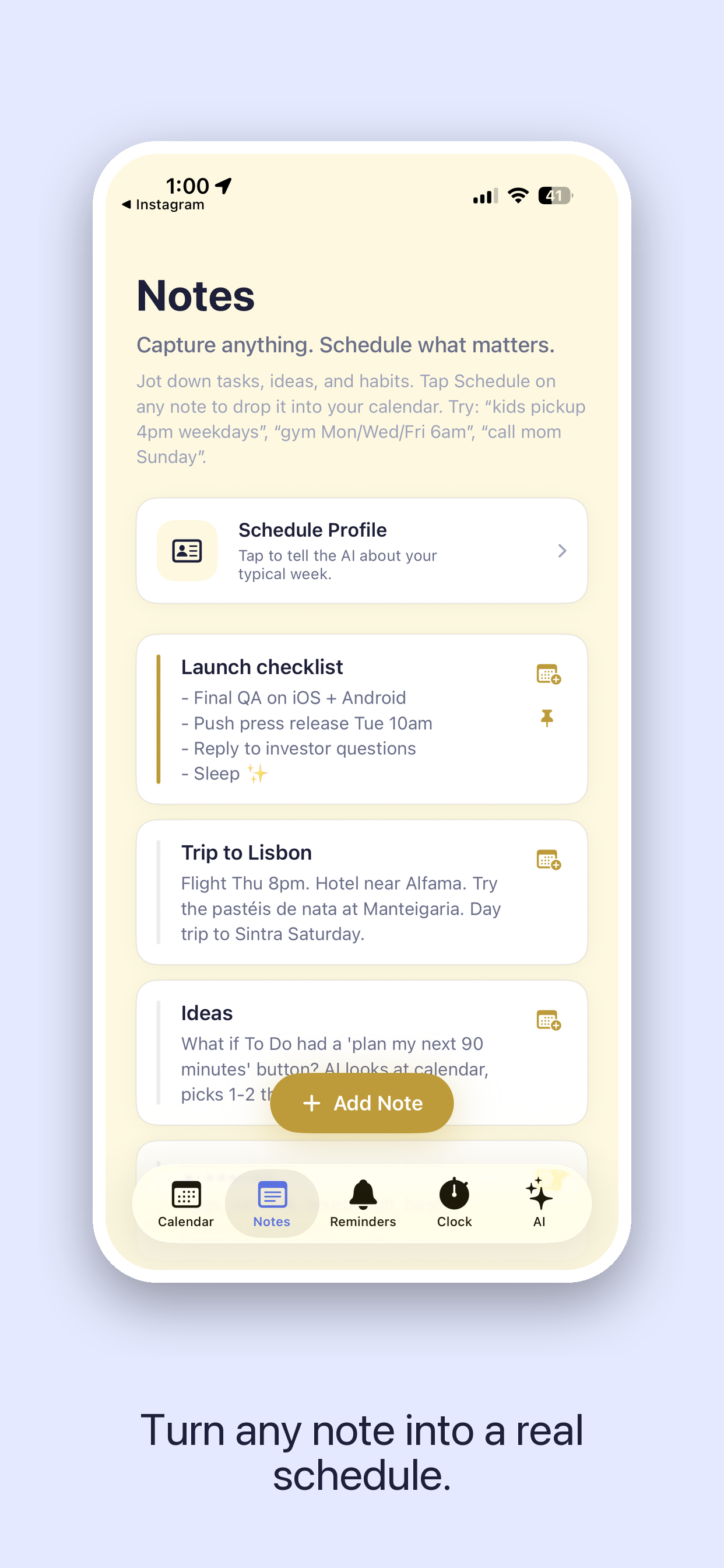
Notes
Start with the thought.
Schedule it later.
Task Keeper is a fast, distraction-free place to capture what you're working on — a project plan, a half-formed idea, a list of errands. When you're ready, ask AI to drop it onto your calendar at the right time, and it does.
- Long-form notes with sections and checkboxes
- Pin the ones you're actively thinking about
- "Schedule this" turns a note into a calendar block
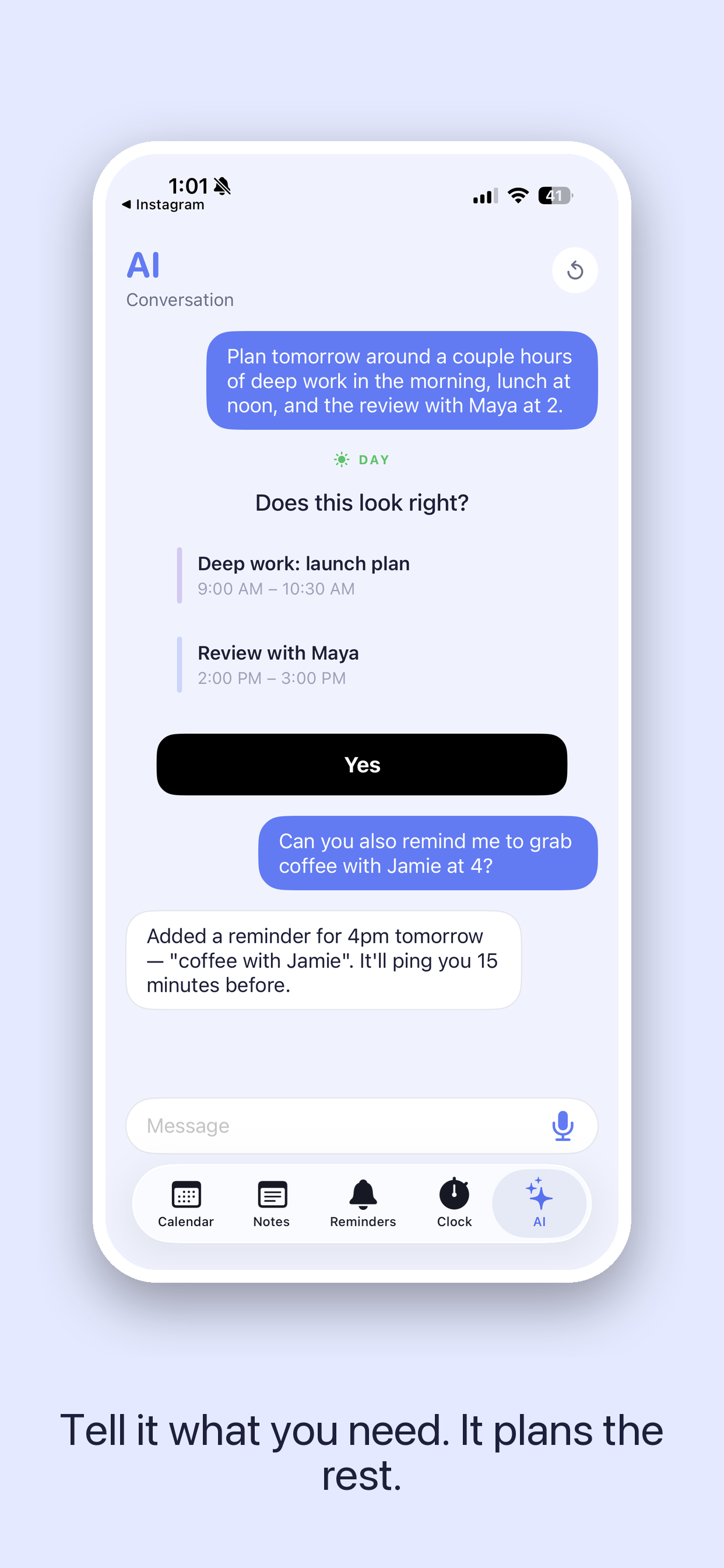
Calendar & AI
Describe your day.
Watch it arrange itself.
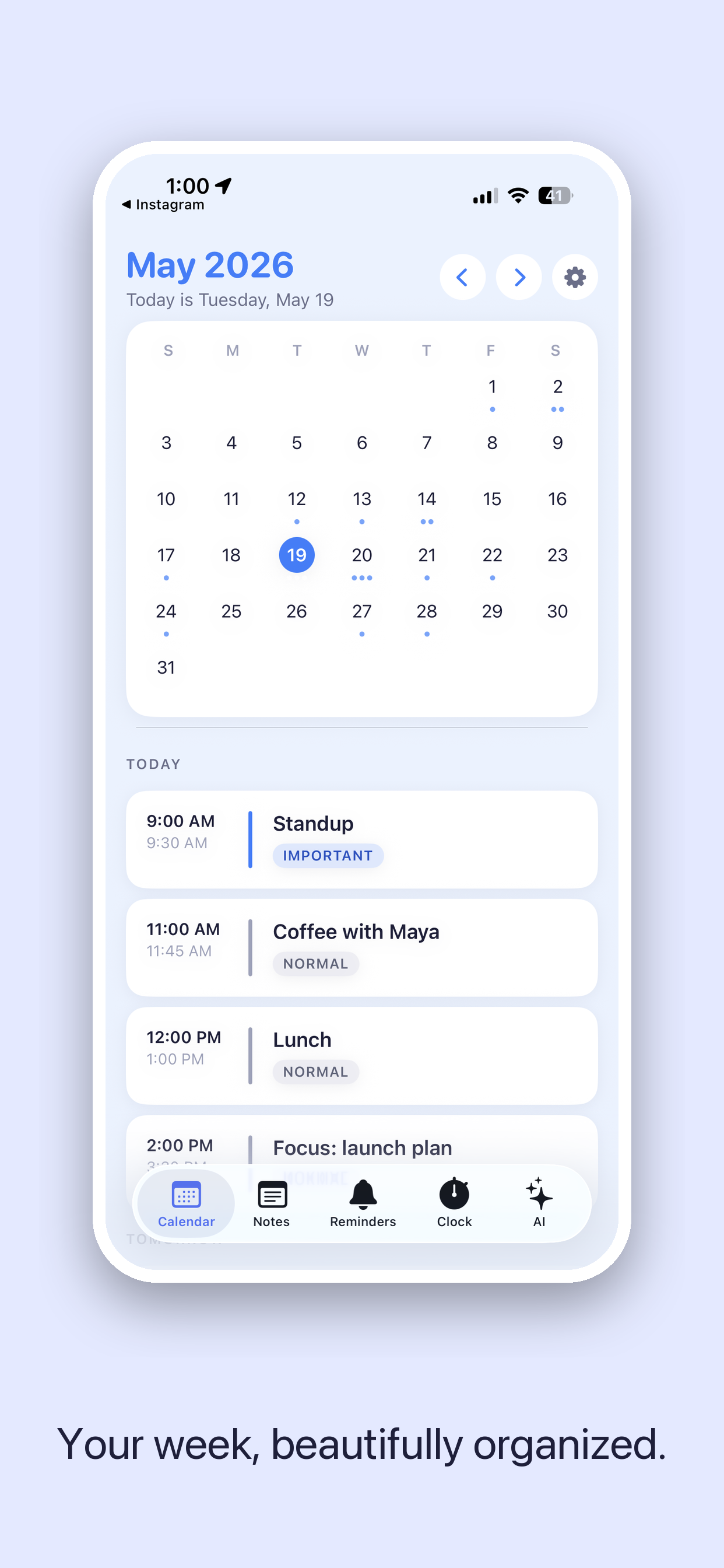
Tell the AI tab what's on — meetings, gym, deep work, school pickup — and it builds a time-blocked schedule, color-coded by category. One swipe sends it to Apple Calendar or Google Calendar, alongside everything else you already have. The app reads your real events so the plan fits around them, not over them.
- Voice or typed — same outcome
- Recurring events handled natively
- Sees your existing calendar before it plans
Reminders & Clock
The little things,
in the same place.
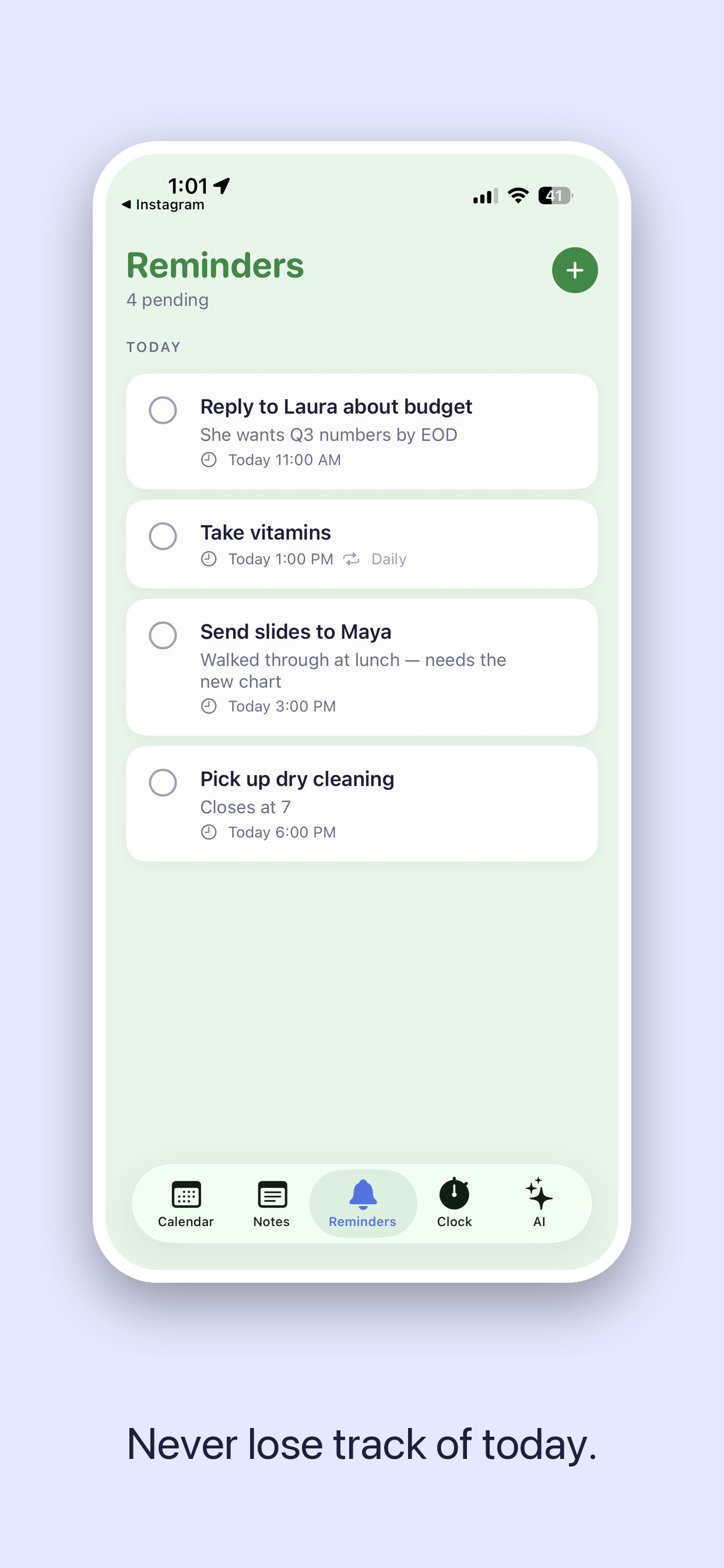
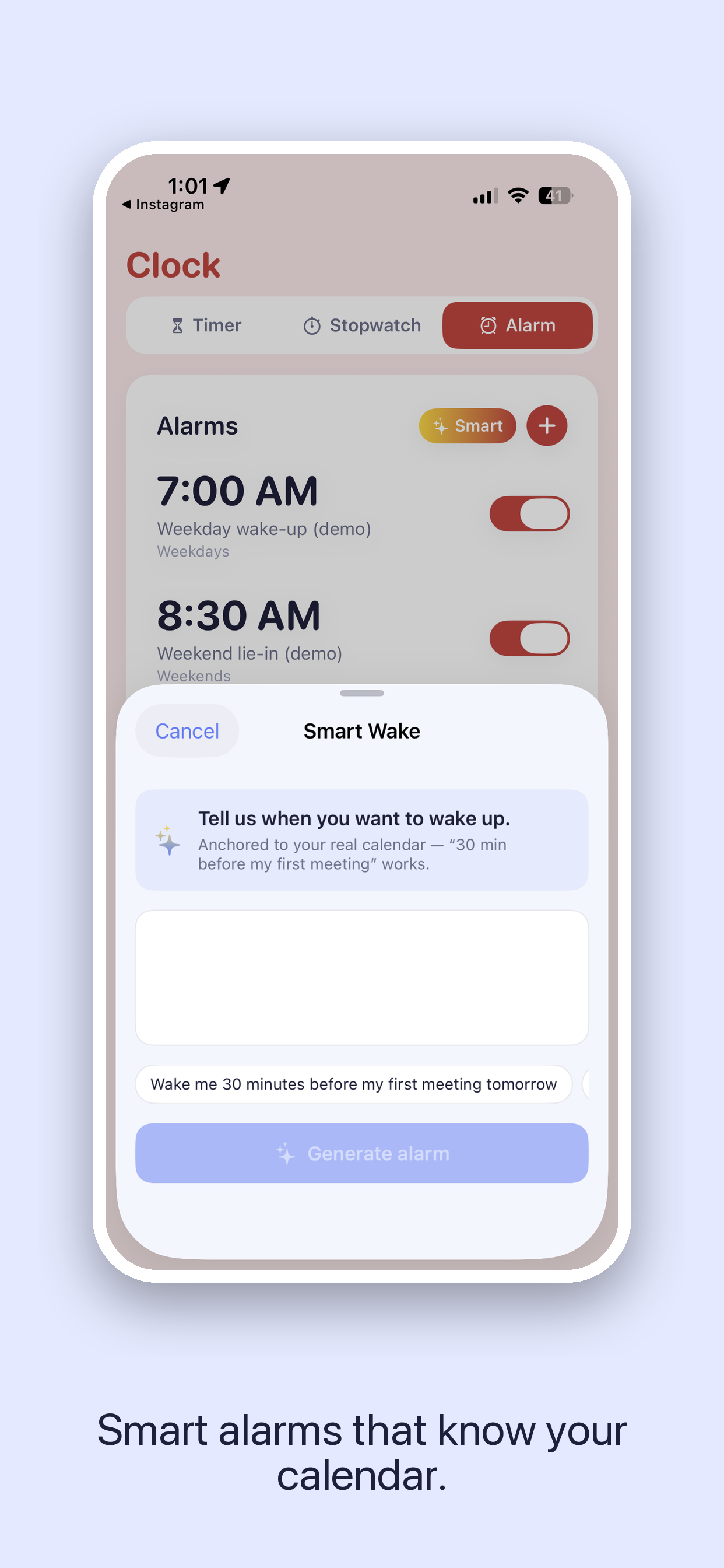
Reminders for the quick stuff — call Mom, refill the prescription, water the plants. Clock for everyday utilities — a timer for the rice, a stopwatch for the run, alarms that don't require digging through Apple's app. All in the same five-tab home, all matching the rest of your day.
- Reminders sync server-side, never lost between devices
- Multiple named timers — boil-eggs, focus-block, do-homework
- Wake alarms with friendly, not-jarring sounds
Reminders
Tap-fast capture. Recurring built in.
Clock
Timer, stopwatch, alarms — one home.

Most productivity apps shout.
We wanted one that doesn't.
To Do is the app I wanted to use every day — quiet, periwinkle, five tabs, no sidebars, no dark patterns, no nagging notifications. It's free, with a small optional Pro subscription if you want unlimited AI exports. Otherwise it does everything most of you will ever need it to.
— Nikhil, Delta Metrics
Made for your Apple stack
- iPhone
- iPad
- MacCatalyst
- AppleVision
Questions
-
Yes. Notes, Reminders, Clock, full Calendar (Apple + Google sync), and unlimited AI conversations are free. Calendar AI Pro is an optional $0.99/month or $7.99/year subscription that unlocks unlimited calendar exports from the AI tab.
-
The app started as Calendar AI in March 2026 and grew into Notes + Reminders + Clock + AI through the spring. We kept the URL so nothing breaks for people who already bookmarked it, but the app itself is now called To Do — Calendar, Notes & AI.
-
Yes — both Apple Calendar and Google Calendar. To Do reads your existing events so the AI never schedules over them, and exports new blocks straight into the calendar of your choice.
-
Android is in development. For now, To Do ships natively to iPhone and iPad, runs as a Mac Catalyst app on Apple silicon Macs, and is compatible with Apple Vision.
-
To Do is built by Delta Metrics — a small studio building calm, focused consumer tools that combine human behavior with machine intelligence.
Free. Forever, for the basics.
Get To Do
iPhone, iPad, Mac (Apple silicon) and Apple Vision.